
TESSERA
Many pieces. One mission.
Tessera coordinates volunteers, groups, projects, and materials into one successful service event.
About
Why "Tessera"?
- tessera
- A small block of stone, tile, glass, or other material used in the making of a mosaic.
On its own, a single tile doesn't add up to much — its meaning comes from being set alongside many others. That's the idea behind the name: every volunteer, group, task, material run, and project is one tessera, a single piece of the event. No one piece finishes the work; the whole event only comes together once each is set in its place.
So that's what Tessera is for: helping place each piece where it belongs, so the larger mission comes together. You can see it in our mark — a home built from mosaic tiles, with one tile tilted, just being set into place.
See the app
What you'll use on event day
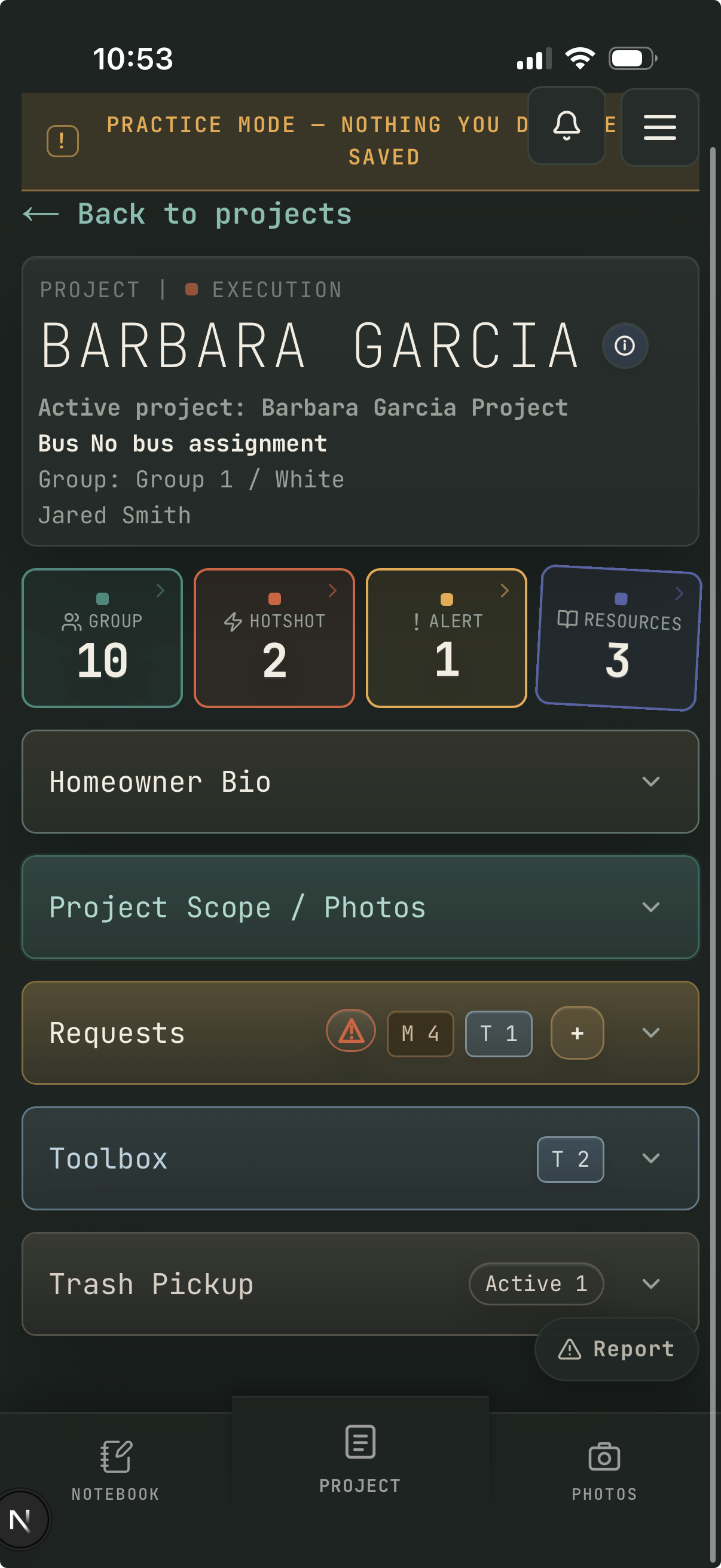
Here's the main screen a Group Leader sees during execution. Every piece of information your crew needs is one tap away.
-
1
Project header — the homeowner name, your group and bus assignment, and your assigned site coach so you're never on the wrong site.
-
2
Group tap to open → — see everyone assigned to your crew: their name, role, and contact info.
-
3
Hotshot tap to open → — make a hotshot request for field supplies like water, ice, bug spray, and more.
-
4
Alerts tap to open → — if your site has an issue that needs to be addressed, submit an alert here so the operations team can respond.
-
5
Resources tap to open → — browse reference guides, how-tos, and checklists available to your crew during the event.
-
6
Homeowner Bio — a short background on the family so your crew can serve them personally, not just complete a checklist.
-
7
Project Scope / Photos — the approved work list and site photos from the original scoping visit. You and your crew should add before, during, and after photos throughout the day to document your progress.
-
8
Requests — submit material and tool requests directly from the job site. When you submit a request your site coach is notified immediately and can dispatch what you need. The badges show how many requests are open and waiting.
-
9
Toolbox — shows all tools assigned to your site, including any pickup tools your site coach assigned you to grab before boarding the bus. Check this at the end of the day to make sure everything gets returned.
-
10
Trash Pickup — log a pickup request with a photo of the trash on site. The material runner gets notified automatically.
Install the app
Add Tessera to your phone's home screen — no app store needed.
Find your role
Read your role guide so you know what to do when you arrive.
Get to work
Open the app on event day, check in, and follow the workflow.
Install
Add Tessera to your phone
Tessera is a Progressive Web App — no app store required. Follow the steps for your phone to add it to your home screen like any other app.
iPhone & iPad
Safari browser required
-
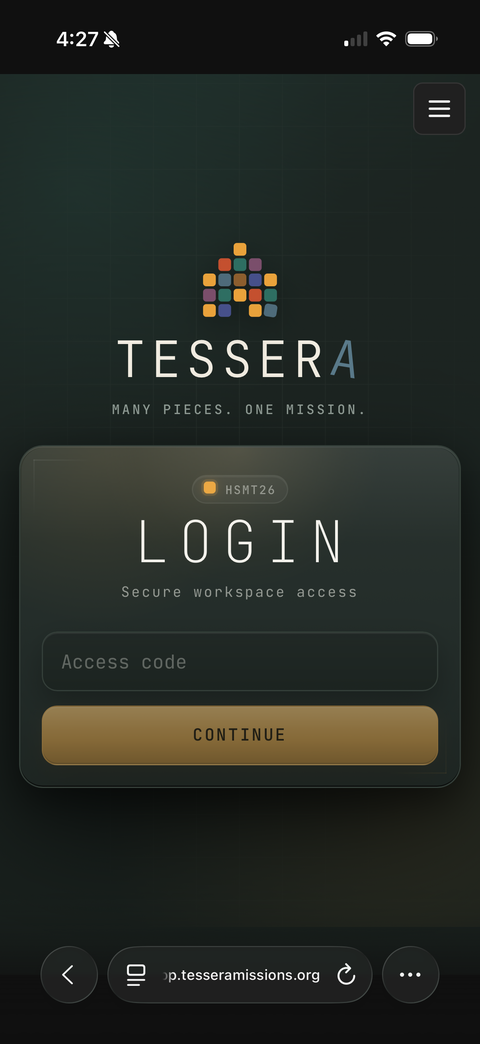
Open app.tesseramissions.org in Safari, then tap the ••• button in the bottom-right corner.
-
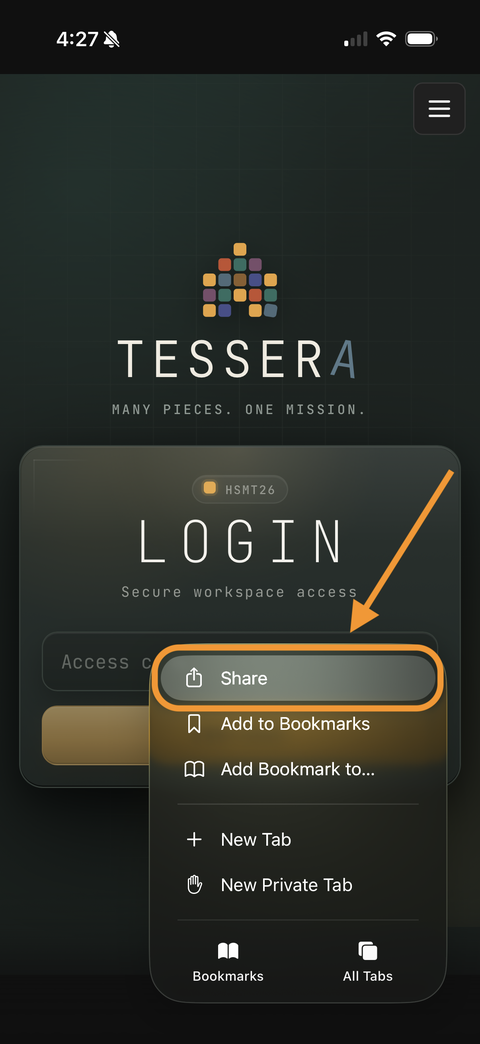
Tap Share.
-
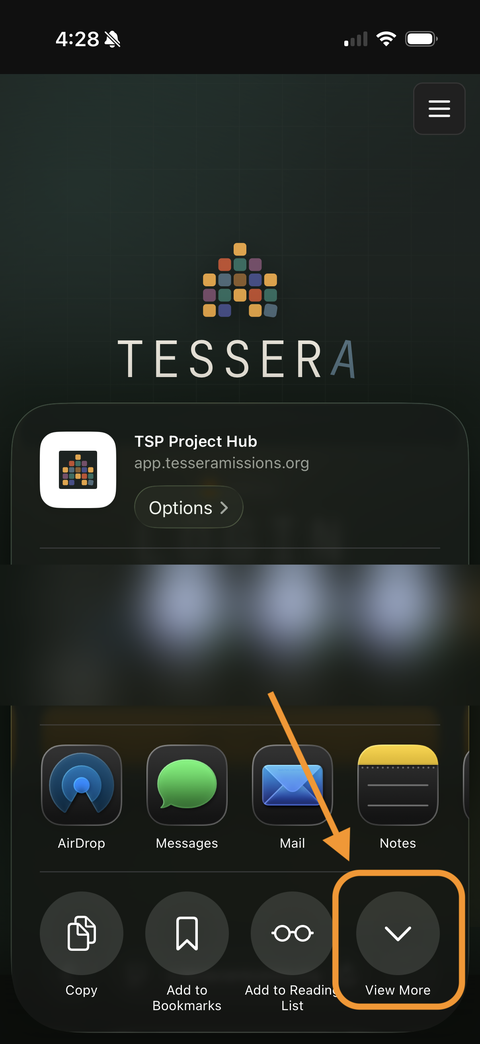
Tap View More.
-
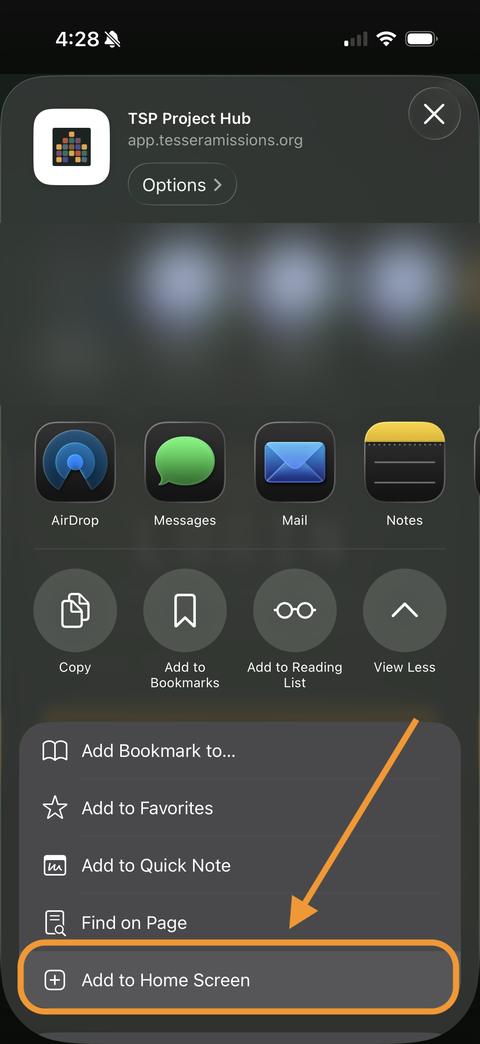
Tap Add to Home Screen.
-
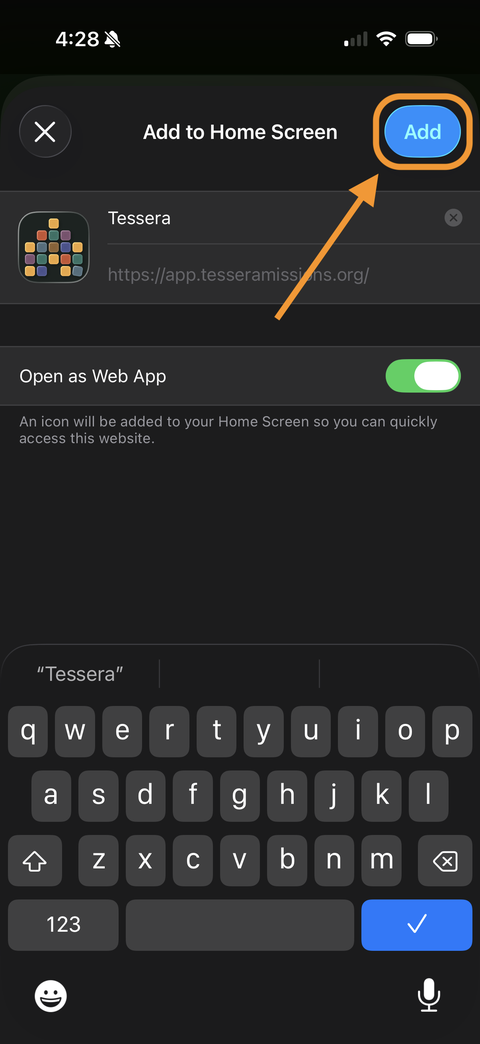
Tap Add. Tessera will appear on your home screen.
Android
Chrome browser required
-
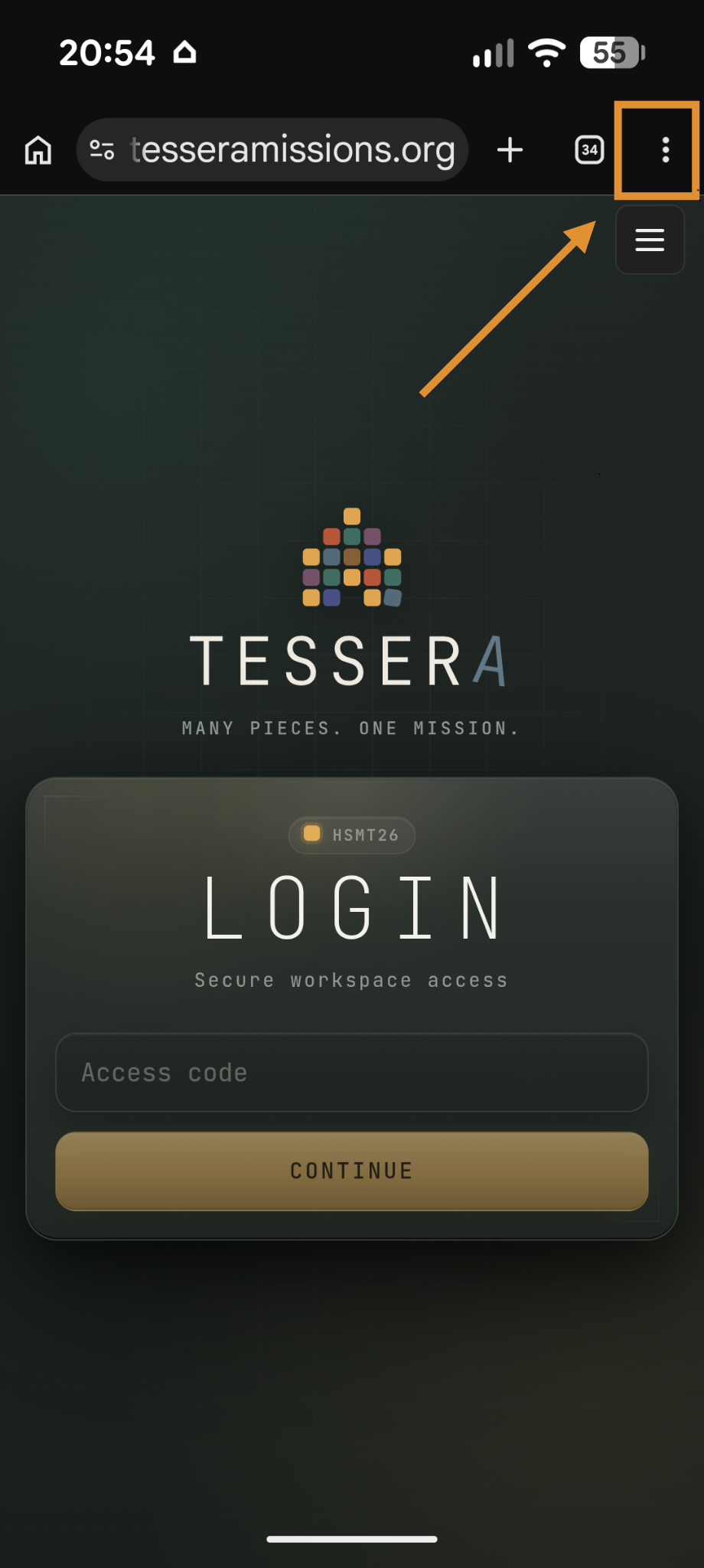
Open app.tesseramissions.org in Chrome, then tap the ⋮ button in the top-right corner.
-
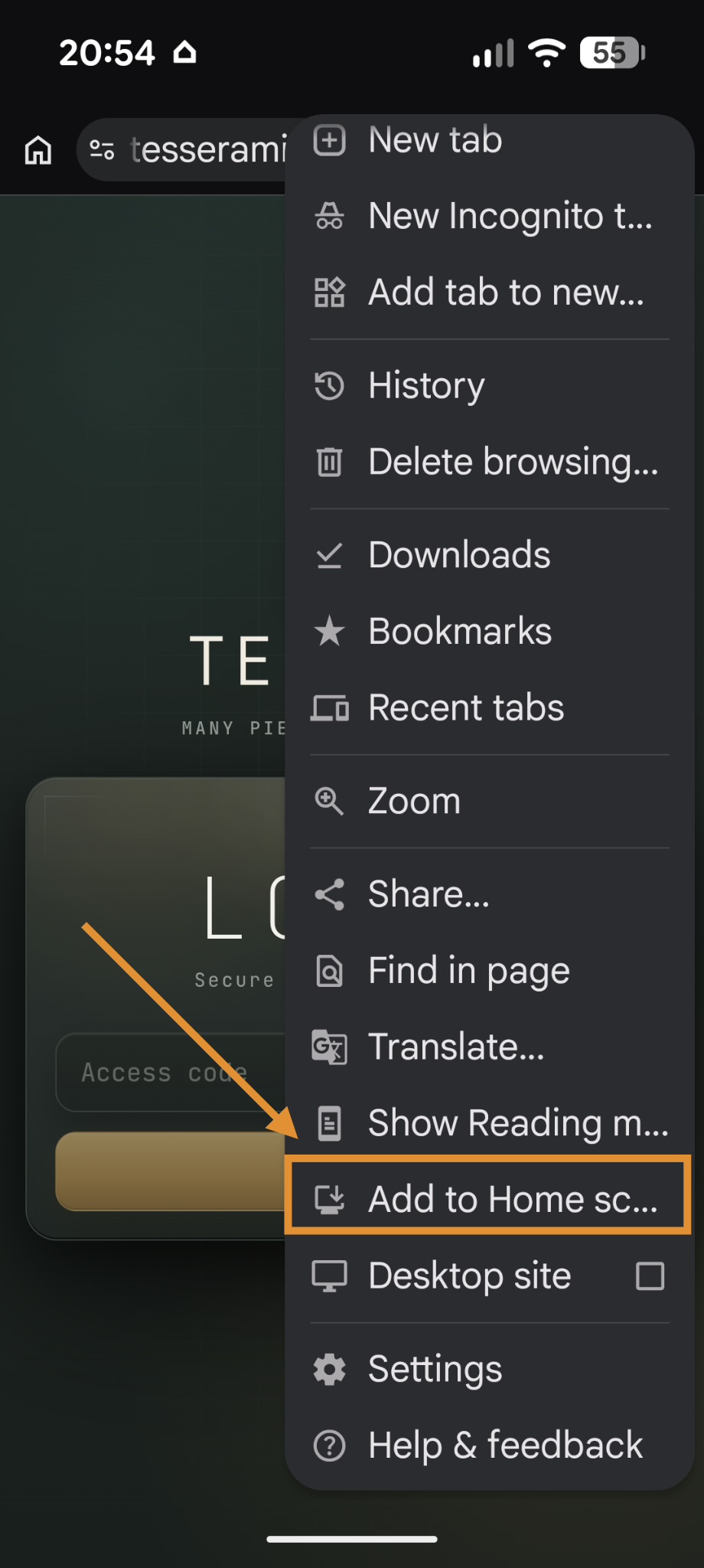
Tap Add to Home Screen.
-
Tap Install (not "Create shortcut" — Install gives you the full app experience).
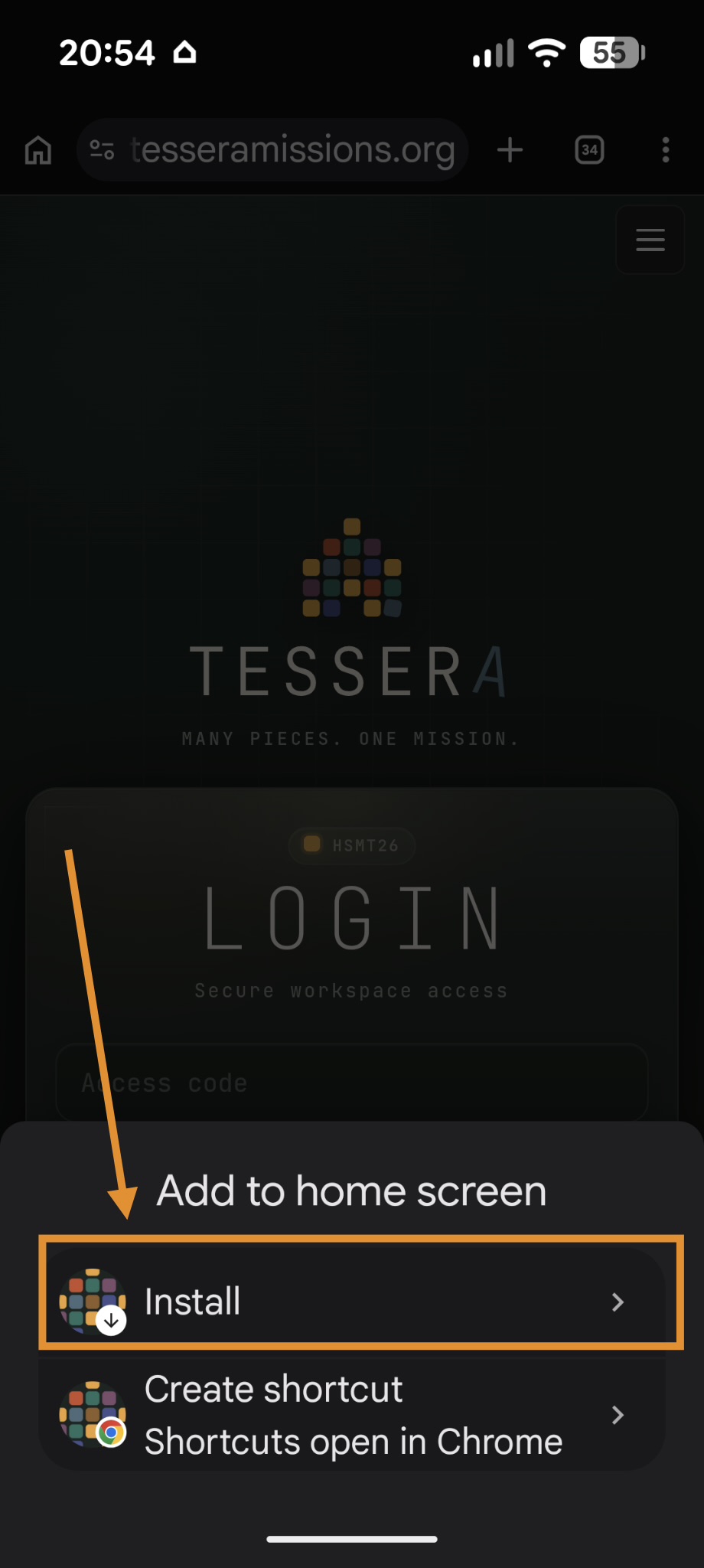
-
Tap Install to confirm. Tessera will appear on your home screen.
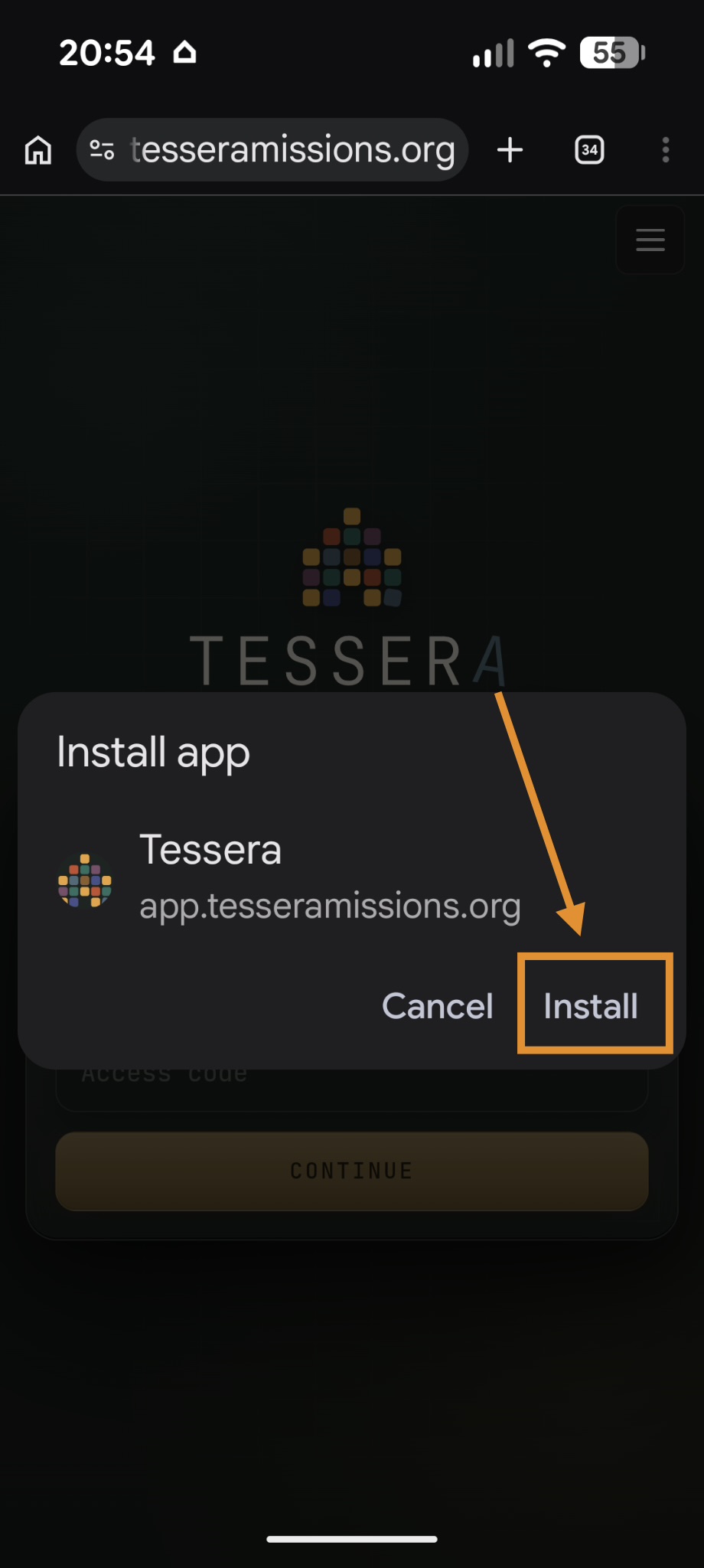
⚡ Enable push notifications
When prompted, allow Tessera to send notifications. This is how your group leader, site coach, and event coordinators will reach you during the event. If you missed the prompt, go to your phone's Settings → Notifications → Tessera and turn them on.
FAQ
Common questions
Answers to the most frequent questions volunteers have before and during an event.